JOIN AS A FOUNDING MEMBER·Founders pricing locked for 12 months·Limited spots →
YARD MANAGEMENT

YOUR YARD,
ON ONE LIVE BOARD.

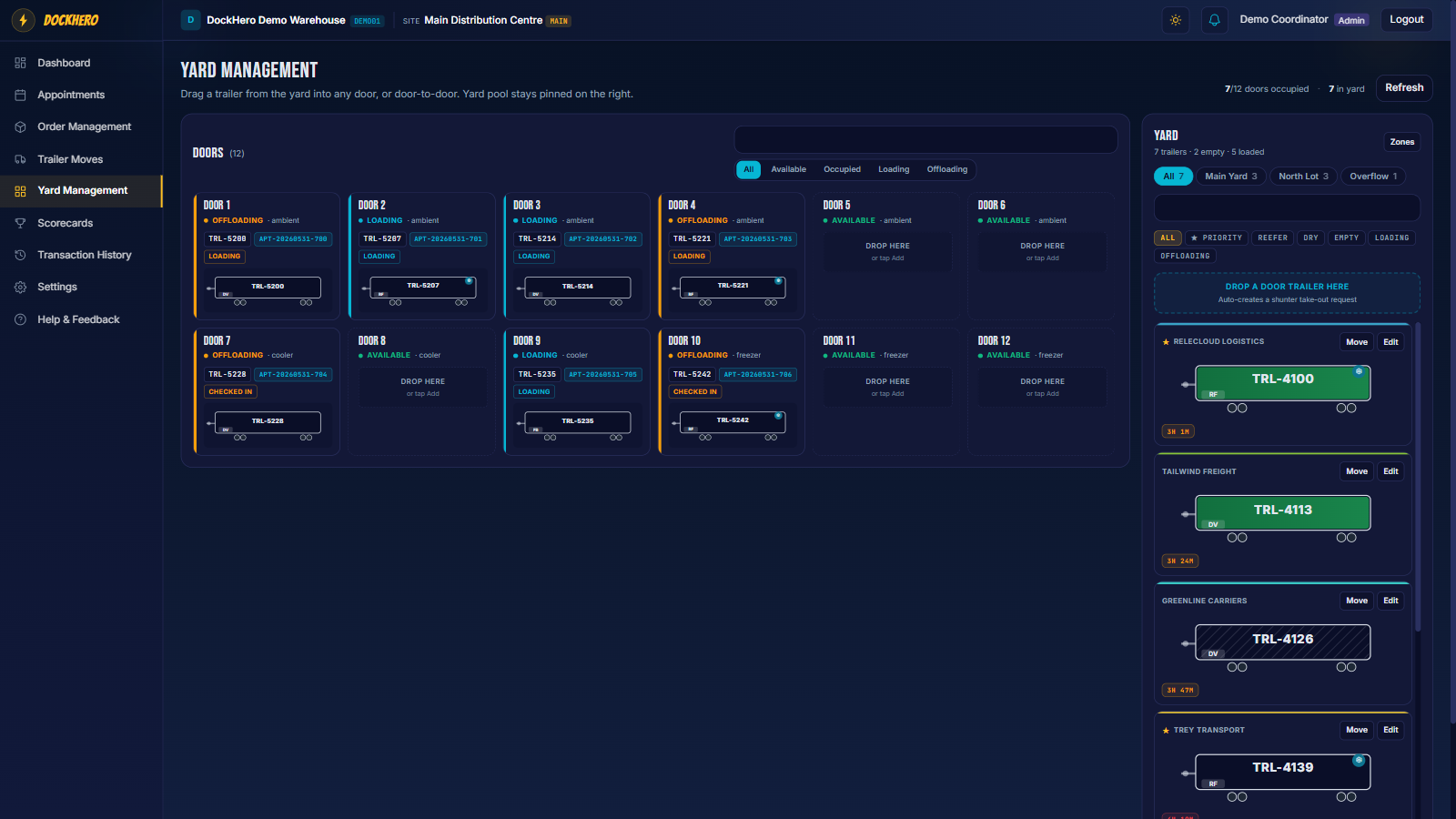
Scheduling fills your calendar — the yard is where the trailers actually move. DockHero turns the whole yard into one interactive board: drag a trailer to a door, hand the move to a shunter, and let check-out clean up after itself.
app.dockhero.ca/yard
DockHero drag-and-drop yard board with trailers grouped by zone
SEE IT RUN

Watch a trailer move, end to end.

The whole yard on one screen: drag a trailer into a door, request a shunter move, watch it land on the shunter's tablet, then confirm and see the door populate live.

youtube.com/@dockhero
DRAG & DROP

Multiple yards. One drag-and-drop board.

Model your real site with as many yards and zones as you need, then move trailers between yard and doors on a live display everyone can see — on a desk, or full-screen on a warehouse TV.

  • Build multiple yards and zones that match your actual layout.
  • Drag a trailer from a parking spot straight onto a door.
  • Live door board with auto-refresh and a full-screen presentation mode.
  • Colour-coded door status — occupied, open, arriving, out of service.
app.dockhero.ca/yard
DockHero drag-and-drop yard board with trailers grouped by zone
SHUNTER TABLET

Every move, assigned and done.

Every drag-and-drop or request becomes a trailer move. Your shunter logs in on the tablet in the cab and sees exactly which moves are needed — ranked by priority. They mark it complete and the coordinator is notified instantly.
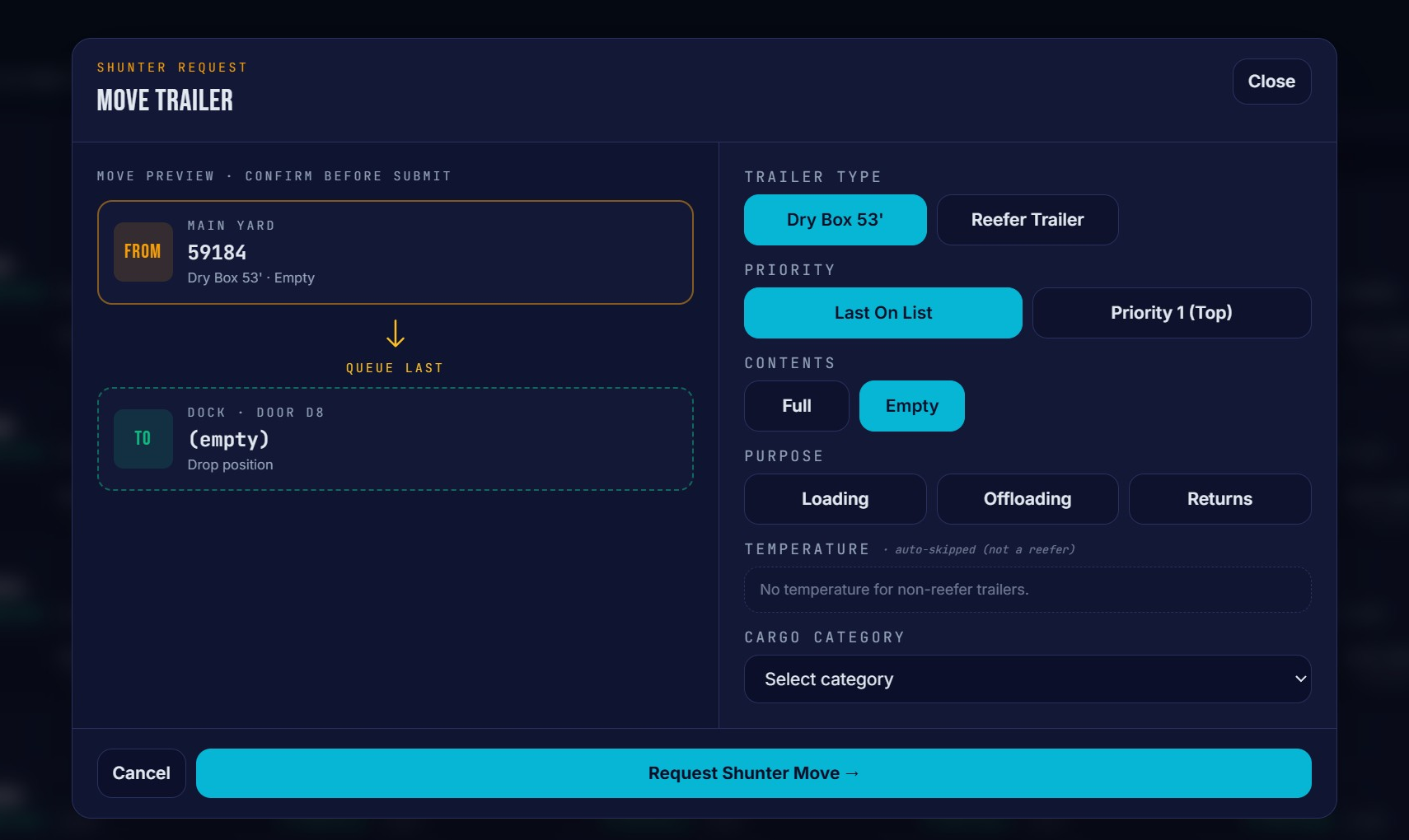
  • No radio, no paper list — the queue lives on the shunter's tablet.
  • Priority-driven so the right trailer hits the door first.
  • Completion pings the coordinator view automatically.
  • Every move logged to the audit trail with who, what and when.
app.dockhero.ca/shunter-moves
DockHero shunter move queue with priorities on a tablet
SELF-CLEANING

Check-out clears the yard for you.

When an appointment is checked out, the trailer leaves your yard automatically — so your counts are always right without anyone updating a board. Track empty and full assets of any kind, all in one view.
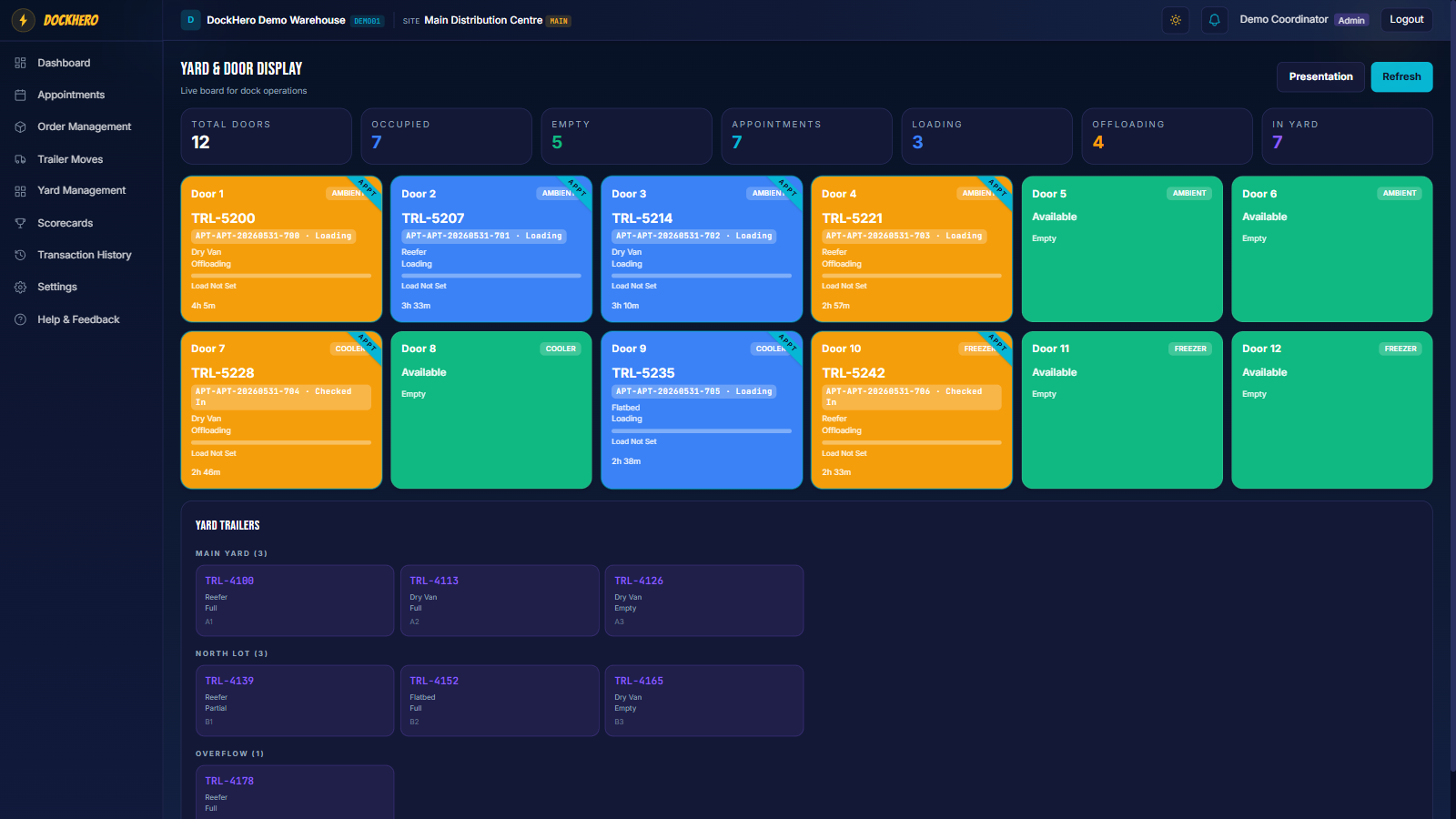
  • Completed appointments remove the trailer from the yard automatically.
  • Every asset tracked with its load state — empty or full, at a glance.
  • Any asset type: reefer, dry van, flatbed, container, chassis.
  • Yard trailers grouped by zone, with live counts per zone.
app.dockhero.ca/door-display
DockHero live door display board showing each door's status in real time

STOP CHASING TRAILERS.
SEE THE WHOLE YARD.

FAQ

YARD & MOVES, ANSWERED.

What exactly is a “trailer move”?+
Any time a trailer needs to go from yard to door, door to yard, or spot to spot, DockHero creates a trailer move. It carries a priority, a from/to, and the reason (e.g. an upcoming appointment or a check-out) so your shunter always knows what to do next.
Do shunters need to install an app?+
No. The shunter signs in to the tablet in the cab through the browser and sees their prioritized move queue. Marking a move complete notifies the coordinator view automatically.
Can I run more than one yard?+
Yes — build as many yards and zones as your site needs. Trailers can move between them, and each zone keeps its own live count.
How does a trailer leave the yard?+
When the related appointment is checked out, the trailer is removed from the yard automatically — so your yard counts stay accurate without manual updates.
FOUNDING MEMBER

LESS ADMIN.
HAPPIER CARRIERS.
QUIETER YARD.

Founders pricing locked for 12 months, every feature shipped during your year, and a direct line to the founder. Spots are limited.

30-day free trial · No credit card · Cancel anytime