01Why the yard board is always a step behind
A yard board, whether it’s a whiteboard, a spreadsheet or a screen, is only as current as its last update. A trailer shows in row C because that’s where it was at 9:00. The jockey moved it to the back fence at 10:15 and mentioned it on the radio, but the board never heard about it, and by lunch dispatch is making three calls to find one trailer.
It isn’t laziness. Updates happen in different places, by different people, at different times: the gate logs arrivals, the spotter moves trailers and dispatch plans the loads. When nobody owns the board, everybody assumes someone else updated it.
02One owner per update: gate, spotter, dispatch
Split the yard into three kinds of update and give each one an owner.
- The gate owns in and out. Every trailer that enters or leaves is logged at the gate with its number, carrier, loaded or empty, and the time.
- Spotters own location. Whoever moves a trailer updates where it is at the moment they drop it, not at the end of the shift.
- Dispatch reads but doesn’t edit. Dispatch decides what should move next and asks the spotter to do it. It doesn’t change locations it didn’t see.
With one owner per update, every wrong entry has a name attached, which is how it gets fixed.
03Number the spots and confirm moves at the drop
“Back fence” and “by the dumpsters” aren’t locations. Number every parking spot and door, paint or sign the numbers so they can be read from a cab, and use only those numbers on the board.
Then count a move as done only when the spotter confirms it at the spot. Moves reported later from memory are where most errors start. If spotters carry a tablet or phone, confirming a drop takes one tap; if they don’t, a paper move sheet handed in at every break is still better than the radio.
04Measuring yard accuracy with a shift-change walk
Yard accuracy is easy to measure. At each shift change, walk the yard with the board and count the trailers that aren’t where the board says, plus any trailers on the board that aren’t in the yard at all.
Also time how long it takes to find a trailer when dispatch asks for one. Those two numbers, mismatches per walk and minutes to find a trailer, tell you whether the process is working, and they get management’s attention faster than any complaint.
Walk the yard at every shift change for the first month. Once mismatches stay near zero, one walk a day is usually enough to keep the board honest.
05GPS, RFID or a yard app: what each one actually tells you
Each tracking technology answers a different question.
- GPS trailer trackers tell you a trailer is on your property and where it is on the road. In a tightly packed yard they usually can’t say reliably which numbered spot it’s in, and they only cover trailers that carry a tracker, which often leaves out your carriers’ equipment.
- RFID or camera readers at the gate record trailers coming in and going out without anyone typing. They’re good at the gate’s job and say nothing about moves inside the yard.
- A yard app records what people confirm: check-ins at the gate, moves confirmed at the drop, and each trailer’s current spot. It’s only as accurate as the confirmation habit, which is why the process comes first.
For most mid-size buildings, good habits plus a yard app cover the job. Sensors make sense once the process works and the trailer volume justifies what they cost.
06When you’ve outgrown the spreadsheet
A shared spreadsheet works for a small yard with one person updating it. These are the signs it’s time for something else:
- Several people edit it at once and the versions disagree.
- Spotters can’t update it from where they are standing.
- You can’t see how long each trailer has been sitting, so trailers are forgotten until a carrier calls about them.
- Moves are requested over the radio and nobody can see the queue.
- Carriers bill you for trailers you thought had already left.
07Dock scheduling vs. yard management: do you need both?
They solve different problems. Dock scheduling decides when trucks arrive and which door they use: appointments, capacity and check-in. Yard management tracks where trailers are once they’re on your property and how they move: spots, moves, dwell time and empties.
A building with mostly live loads and little trailer parking can run on dock scheduling alone. Once you have drop trailers, pools of empties or more trailers than doors, you need the yard side as well, and it helps when both share one record, so a trailer checked in at the gate already appears in the yard with its appointment attached.
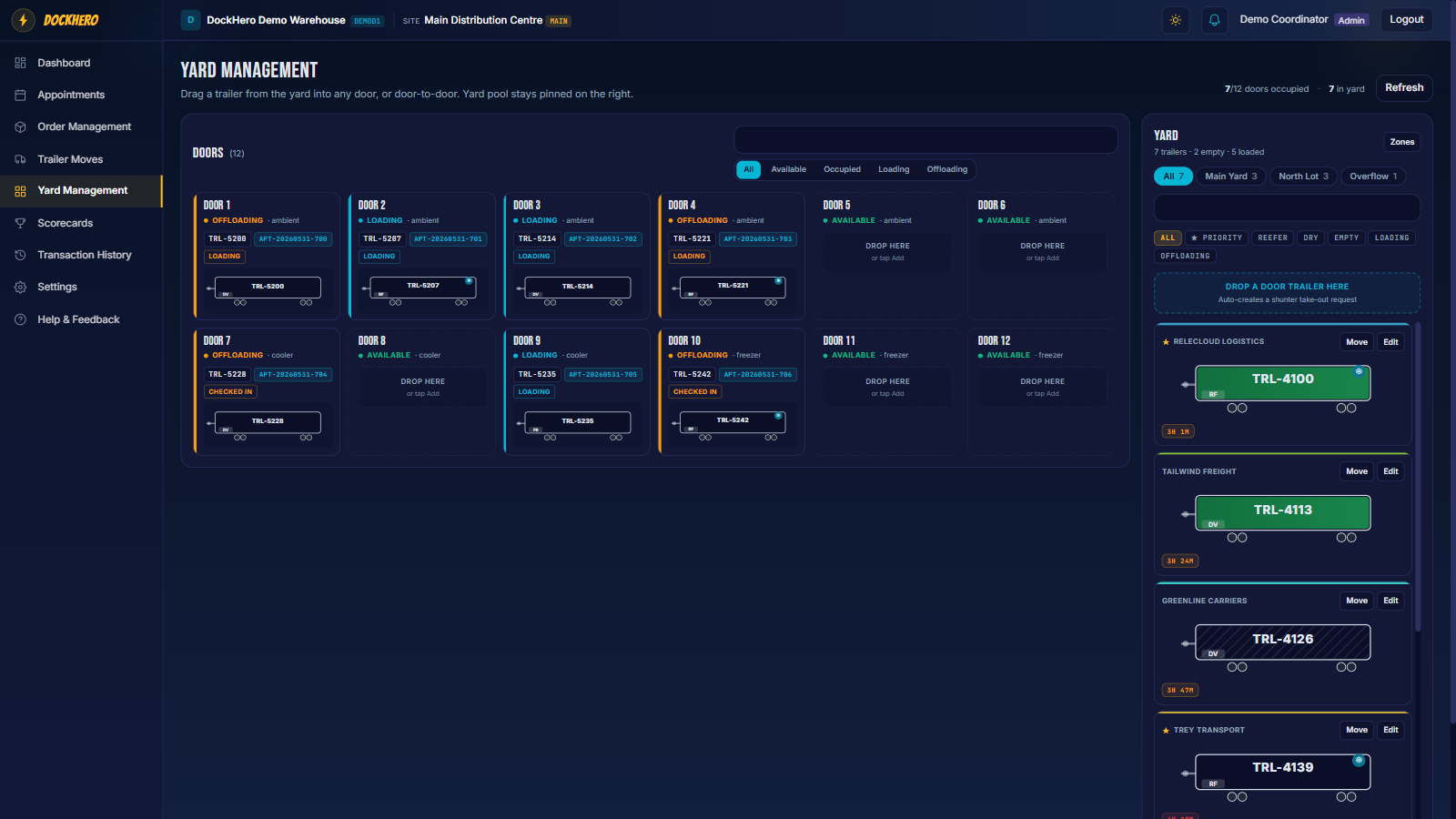
DockHero does both in one system. Trailers are placed in the yard automatically when they check in, a coordinator drags a trailer to a door to request a move, the move goes straight to the shunter’s tablet, and the board updates when the shunter marks it done. Every trailer shows how long it has been sitting. See the yard management software page, or watch the one-minute demo below.